
Go to Settings >> Configuration >> Processing Policies.
Click Add.
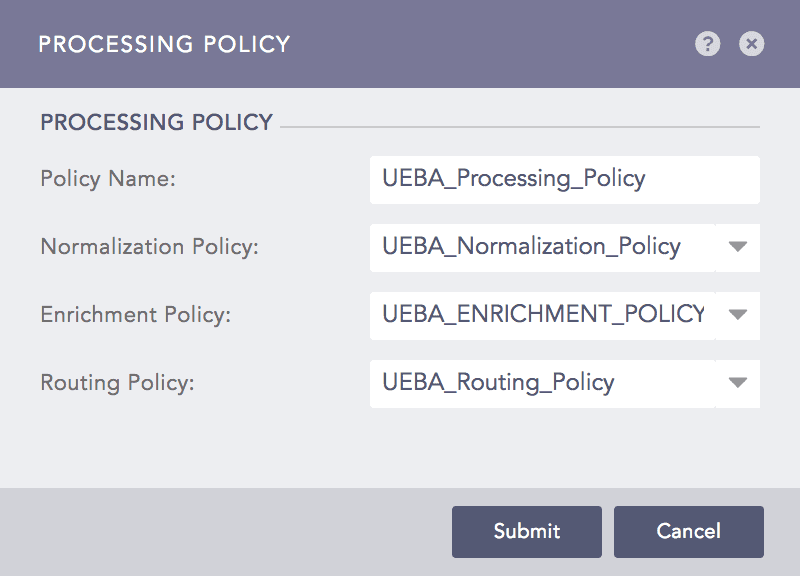
Adding a Processing Policy
Enter a Policy Name.
Select the Normalization Policy you created earlier.
Select the UEBA_ENRICHMENT_POLICY.
Select the required Routing Policy.
Click Submit.
Note
While adding a device:
Use the previously created processing policy.
Select the Email Parser in the Syslog Collector section for the email data source.
Go to Adding a Device for more details.